Contractors and guest users often require access to internal or SaaS applications – for short-term projects or during mergers and acquisitions. Granting access is typically the first step in onboarding these workers. However, since their devices are not managed by the IT team, these organizations can never really be sure what’s happening to the data their guests are accessing. More specifically, there are two concerns many customers have raised:
- Confidentiality – providing access to data while ensuring it doesn’t easily leave the application, get saved to a local device, or copied into personal emails.
- Integrity – enabling interaction with apps and data, but not from a device that could be compromised
Sophos Workspace Protection, including Sophos Protected Browser and Sophos ZTNA, makes securing contractor and guest access and data easy. Customers can quickly set up guardrails for what applications their guests can access and establish data boundaries for the data within those applications. All the user needs to do is install the Sophos Protected Browser on their device, which takes just seconds, just like installing any other browser, and they will be immediately productive no matter where they are. And customers can be confident their applications and data are secure – ensuring it’s not being used inappropriately or accessed from a compromised device.
How To Easily Enable Secure Access for Contractors and Guests
Watch this video for a brief demo of how easy it is to set up Sophos Protected Browser and Sophos ZTNA to access apps such as SSH or RDP with data boundary controls:
Provide Granular Access: Customers control exactly what applications any given contractor, guest, or team has access to – nothing more and nothing less. Policies are flexible and defined by user/group or by site/app. They can ensure only Sophos Protected Browser is used to access their applications so they can’t be accessed via a third-party browser. This works for all kinds of apps and systems, web apps, SaaS apps, as well as SSH and RDP. Management is easy – they can add new access policies quickly and easily as new users come on-board or decommission them just as easily when they leave.
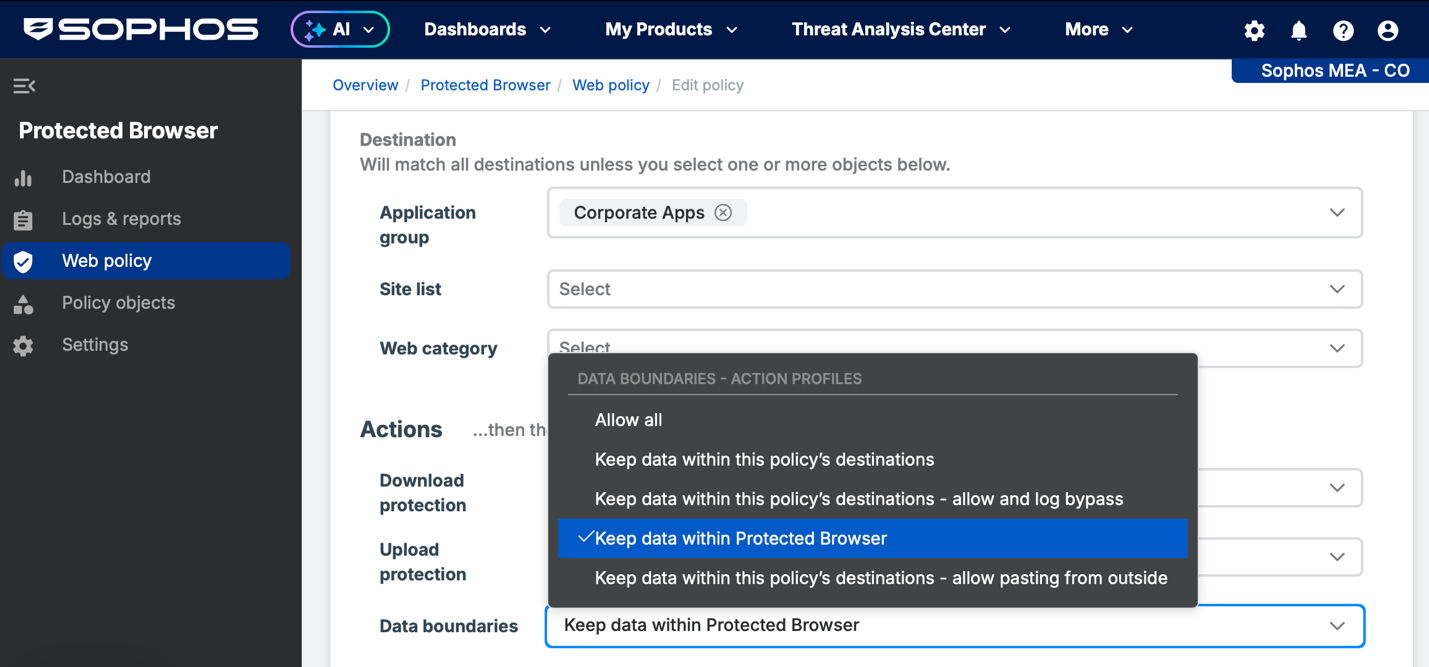
Establish Data Boundary controls: Customers can easily add controls to prevent data from being misused or mistakes from happening. In fact, they can ensure all their data stays within the app if they want. They have full control copying and pasting between apps and outside of the browser, along with screen sharing, screenshots, file saving, download and uploads. For example, they can allow contractors or guests to only copy data between their applications in the browser but prevent copying data to other apps, email, or storage on the device. They can adjust these controls on an app or user/group basis to limit contractors or guests more than their own employees, some teams more than others, some apps more than others, or any combination thereof.
Guard Against Stolen or Compromised Credentials: Customers can enforce multi-factor authentication access across all applications (both in-house and SaaS) to prevent unauthorized access using compromised credentials.
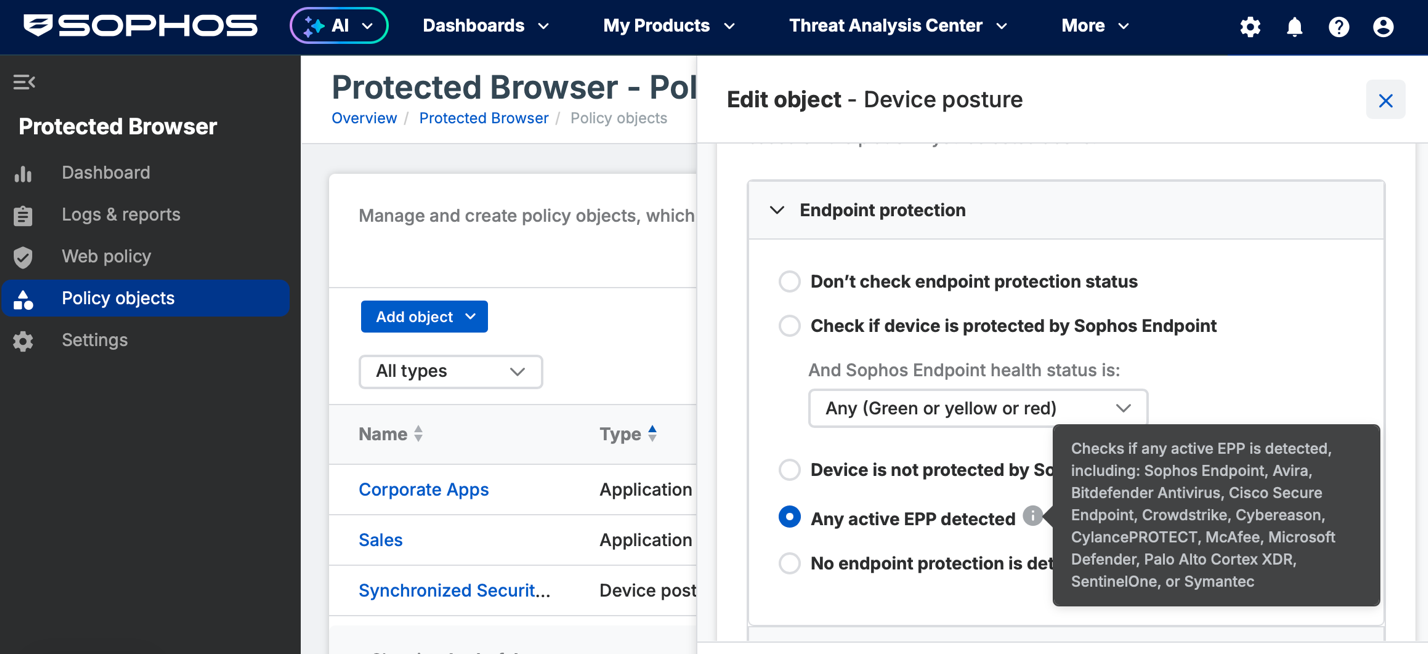
Prevent Compromised Devices from Accessing Apps and Data: Customers can easily add device posture assessment criteria to access policies to ensure a device is compliant and healthy before connecting to applications and data. Customers can require the device be secured with Sophos or a third-party Endpoint protection product and/or full disk encryption solution (such as Bitdefender or a variety of others).
Reduce the Risk of Browser and other Attacks: Sophos Protected Browser is a hardened Chromium-based browser that provides a more secure workspace environment for interacting with applications and data. It’s ideal for unmanaged devices that may be working remotely or in public spaces.
Learn More:
- Watch the various Sophos TechVids How-To videos – particularly on how to Setup Sophos Protected Browser
- Consult the online documentation including:
Be sure to check out our other Sophos Workspace Protection articles to help make the most of this exciting new offering.
If you’re new so Sophos Workspace Protection, visit the partner portal to start training and learn more about all the great capabilities and benefits it provides for securing your customer’s workers, apps, and data.
