It’s easy to show the value of a managed detection and response service when an active threat is unfolding. But during quieter periods, customers may question the value of their MDR investment if they equate it solely with threat detection and response.
Sophos MDR delivers continuous value, every hour of every day. The new quarterly Security Posture Report for Sophos MDR customers helps MSPs make that value visible by focusing customers conversations on how well the organization is positioned if something does happen.
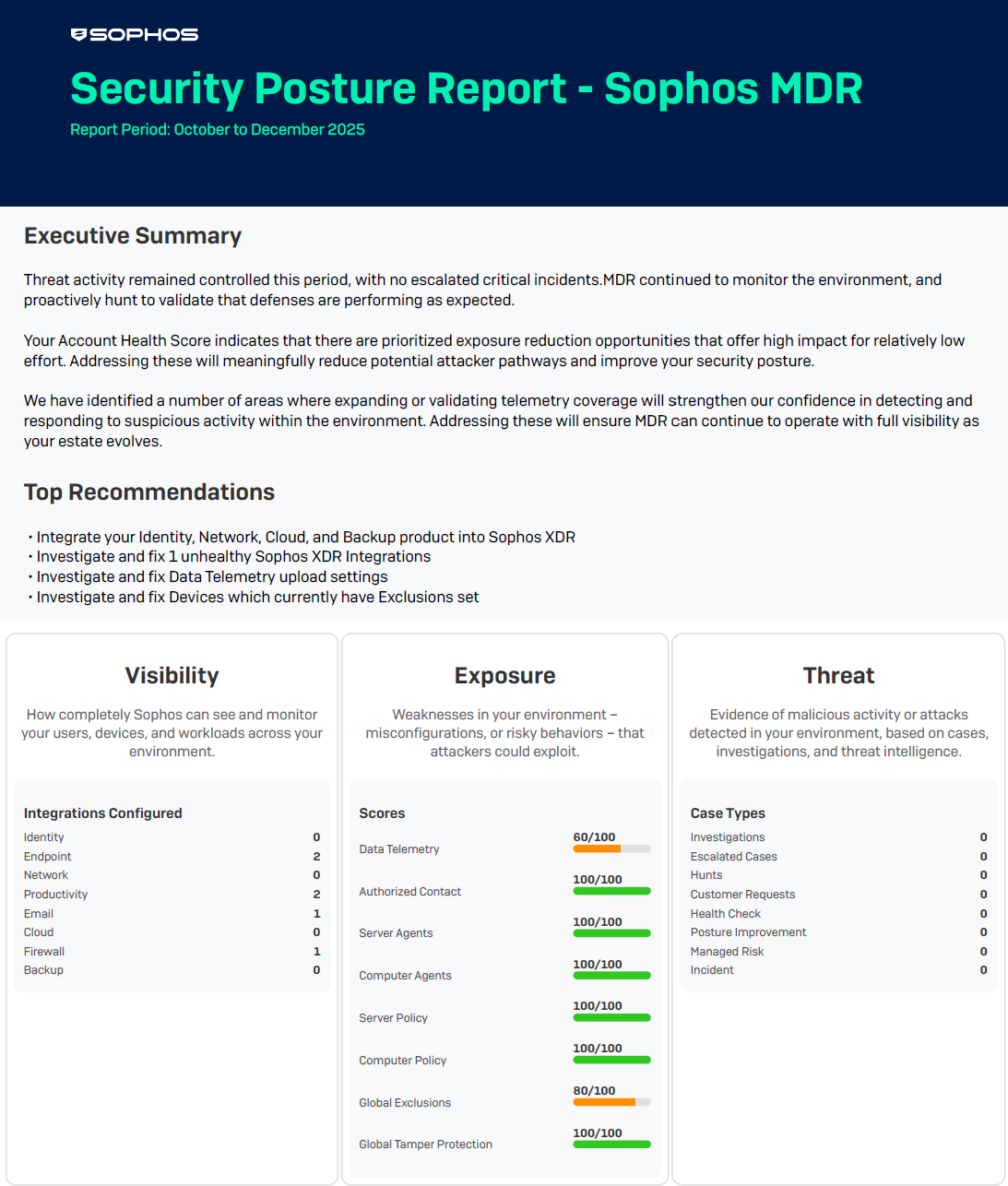
A repeatable framework for impactful customer conversations
The Security Posture Report for Sophos MDR gives partners – especially MSPs – a consistent, scalable way to lead meaningful security conversations with customers, even when there are no active incidents. Rather than relying on case activity to demonstrate value, MSPs can use the report to anchor discussions around security posture: how well each customer is covered, configured, and positioned to reduce risk over time.
| Used correctly, the report helps standardize customer reviews, reinforce the MSP as a trusted security advisor, and clearly show where posture can be improved — while also noting where customers are already in a strong position. |
Using the report effectively is critical to making these conversations effective at scale. Training in Sophos Academy focuses on how MSPs should interpret and position the report across customer engagements.
Aligning on how security posture is defined and discussed makes conversations clearer, more credible, and easier for customers to understand. This consistency helps confidently demonstrate the ongoing value of Sophos MDR, supporting renewals, strengthening long‑term relationships, and reinforcing value even during quiet periods with no active threats.
A quarterly security snapshot
Available to every Sophos MDR customer, the report provides a quarterly view of an organization’s defenses:
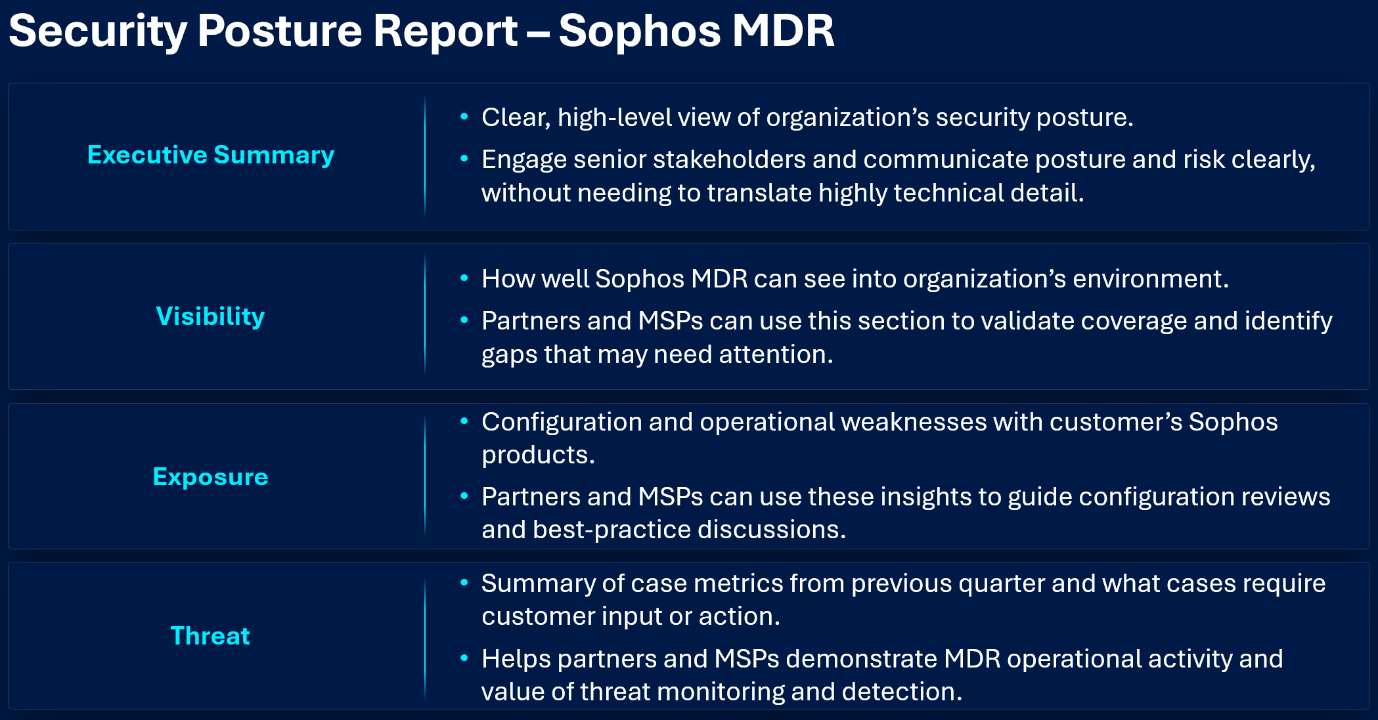
The Visibility-Exposure-Threat model, developed and used by the Sophos MDR operations team, provides a holistic view of security posture that goes beyond what is happening now to include how well an organization is positioned if an incident happens.
Supporting ongoing managed services and reviews
The report provides an analysis of the previous calendar quarter. For example, the next report publishes in early April, covering January-March 2026. Because the report is generated quarterly, MSPs can use it as a consistent reference point over time. This makes it easier to:
- Anchor quarterly business reviews (QBRs) and service check‑ins.
- Track posture improvements across reporting periods.
- Reinforce the ongoing value of Sophos MDR, even during low‑incident quarters.
- Identify when deeper assessments or additional services may be appropriate.
The result is a more proactive, posture‑driven security conversation, rather than a reactive, incident‑only discussion.
From insights to action
The Security Posture Report for Sophos MDR consolidates indicators and scores that already exist in Sophos Central into a single, easy‑to‑consume quarterly report. It does not introduce new data or replace deeper configuration analysis tools.
When the report identifies issues, MSPs can guide customers to the Sophos Central Account Health Check for more detailed information and remediation context. This allows MSPs to turn posture insights into focused, informed follow‑up conversations.
Where to find the report
Customers can access the Security Posture Report in Sophos Central under My Products > MDR > Report history, where it appears in a dedicated subtab. MSPs can guide customers there during live reviews or shared sessions. A slide library with screenshots is posted in the Partner Portal’s Asset Library.
For more information, take the training in the Partner Portal.
